

Oracle DDL Tutorial: Tables, Views, Indexes and Triggers Explained
When you start working with Oracle Database, one of the first things you must understand is Data Definition Language (DDL). It forms the backbone of how your database is structured, maintained, and replicated.
This guide explains DDL clearly along with the advantages of each object, so you not only understand how to use it but also why it matters in real-world scenarios.
What is DDL?
DDL (Data Definition Language) consists of SQL commands that define and manage database objects.
Main DDL Commands:
• CREATE → Create new objects
• ALTER → Modify existing objects
• DROP → Delete objects
• TRUNCATE → Remove all rows from a table
• RENAME → Rename an object
The Power Tool: DBMS_METADATA
SELECT DBMS_METADATA.GET_DDL(‘OBJECT_TYPE’, ‘OBJECT_NAME’) FROM DUAL;
This built-in package helps you extract the exact structure of any database object, making it extremely useful for migration, backup, and auditing.
1. Table DDL
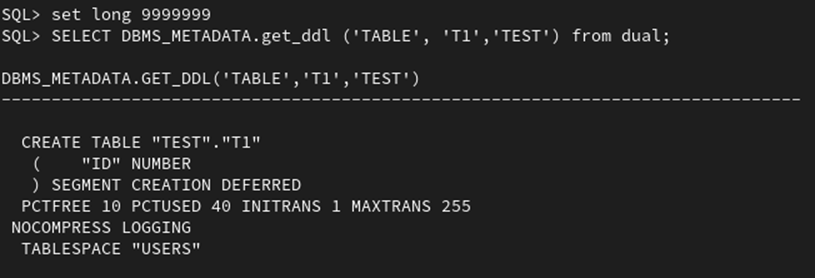
SELECT DBMS_METADATA.GET_DDL(‘TABLE’, ‘table_name’) FROM DUAL;
Returns: Full CREATE TABLE statement with columns, constraints, and storage details.
With OWNER:
SELECT DBMS_METADATA.GET_DDL(‘TABLE’, ‘TABLE_NAME’, ‘OWNER’) FROM DUAL;
Returns: Table DDL from a specific schema.
Advantage:
Tables are the foundation of any database, and extracting their DDL allows you to completely recreate the structure including columns, constraints, and storage settings. Using OWNER ensures you fetch the exact table from the correct schema, which is especially important in enterprise environments where multiple schemas exist. This makes migration, backup, and troubleshooting much more accurate and reliable.
2. View DDL
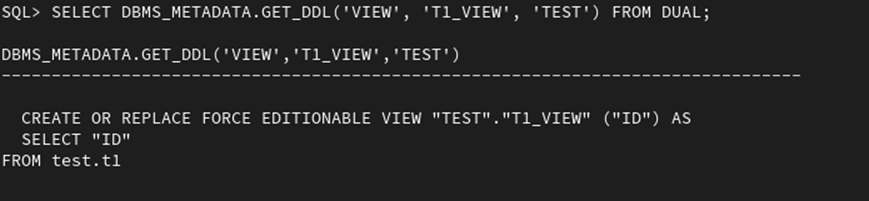
SELECT DBMS_METADATA.GET_DDL(‘VIEW’, ‘view_name’) FROM DUAL;
Returns: CREATE VIEW statement with the underlying SQL query.
With OWNER:
SELECT DBMS_METADATA.GET_DDL(‘VIEW’, ‘VIEW_NAME’, ‘OWNER’) FROM DUAL;
Returns: View definition from a specific schema.
Advantage:
Views encapsulate complex queries, and extracting their DDL reveals the underlying logic such as joins and filters.
3. Procedure DDL
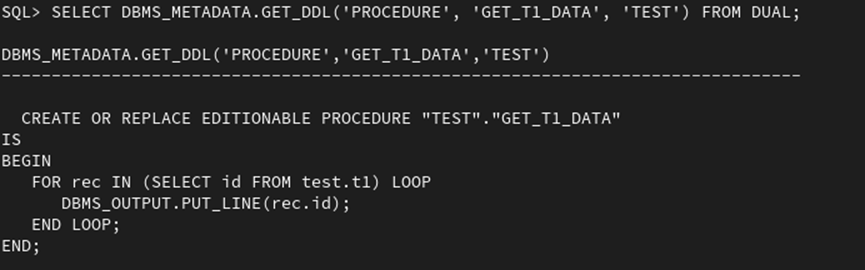
SELECT DBMS_METADATA.GET_DDL(‘PROCEDURE’, ‘procedure_name’) FROM DUAL;
Returns: Complete PL/SQL procedure code.
With OWNER:
SELECT DBMS_METADATA.GET_DDL(‘PROCEDURE’, ‘PROCEDURE_NAME’, ‘OWNER’) FROM DUAL;
Returns: Procedure from a specific schema.
Advantage:
Procedures contain important business logic. Extracting their DDL allows you to analyze, reuse, or migrate this logic easily. Including OWNER ensures that you retrieve the correct procedure, avoiding conflicts in systems where procedures with the same name exist in different schemas.
4. Function DDL
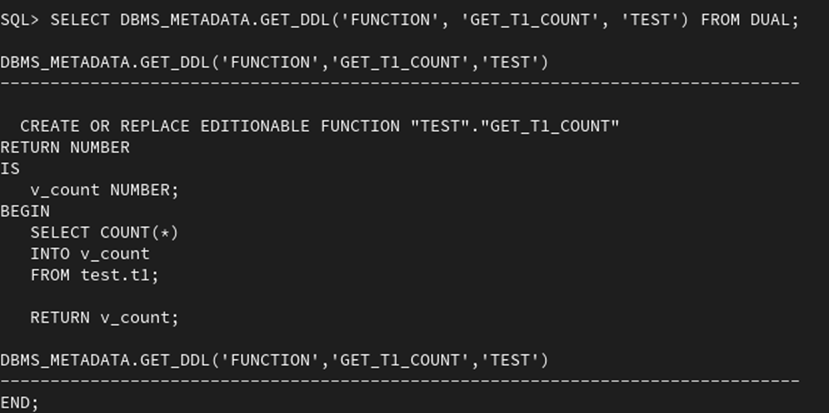
SELECT DBMS_METADATA.GET_DDL(‘FUNCTION’, ‘function_name’) FROM DUAL;
Returns: Full function definition including return type and logic.
With OWNER:
SELECT DBMS_METADATA.GET_DDL(‘FUNCTION’, ‘FUNCTION_NAME’, ‘OWNER’) FROM DUAL;
Returns: Function from a specific schema.
Advantage:
Functions are reusable components that return values and are often used inside SQL queries. Extracting their DDL helps maintain consistency in calculations and logic across environments. OWNER ensures accuracy when functions are shared across schemas.
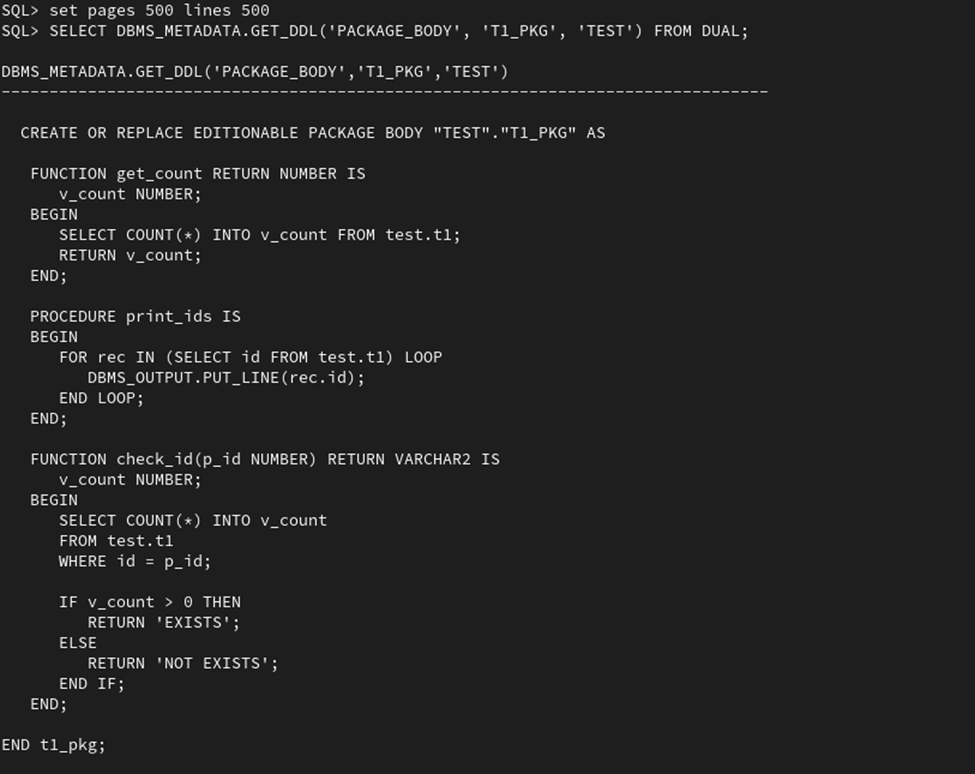
5. Package Body DDL
SELECT DBMS_METADATA.GET_DDL(‘PACKAGE_BODY’, ‘package_name’) FROM DUAL;
Returns: Implementation (body) of the package.
With OWNER:
SELECT DBMS_METADATA.GET_DDL(‘PACKAGE_BODY’, ‘PACKAGE_NAME’, ‘OWNER’) FROM DUAL;
Returns: Package body from a specific schema.
Advantage:
Packages group related procedures and functions together, improving organization and performance. Extracting both package and package body DDL ensures you capture both the interface and implementation. Using OWNER guarantees that the correct package version is retrieved in multi-schema systems.
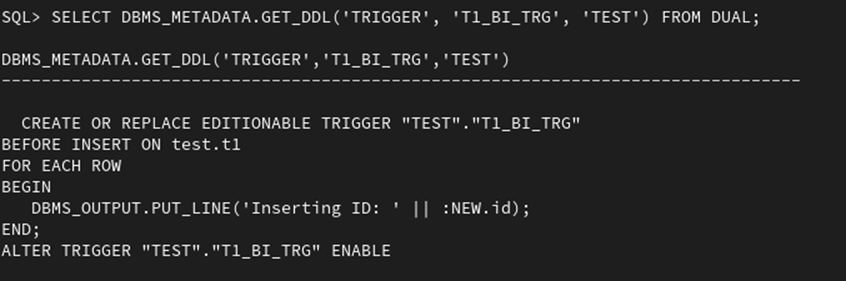
6.Trigger DDL
SELECT DBMS_METADATA.GET_DDL(‘TRIGGER’, ‘trigger_name’) FROM DUAL;
Returns: Trigger definition including timing and event logic.
With OWNER:
SELECT DBMS_METADATA.GET_DDL(‘TRIGGER’, ‘TRIGGER_NAME’, ‘OWNER’) FROM DUAL;
Returns: Trigger from a specific schema.
Advantage:
Triggers automate actions based on database events like INSERT or UPDATE. Extracting trigger DDL helps you understand hidden automation in the system. Using OWNER ensures you capture the exact trigger associated with the correct schema, avoiding unintended behavior during migration.
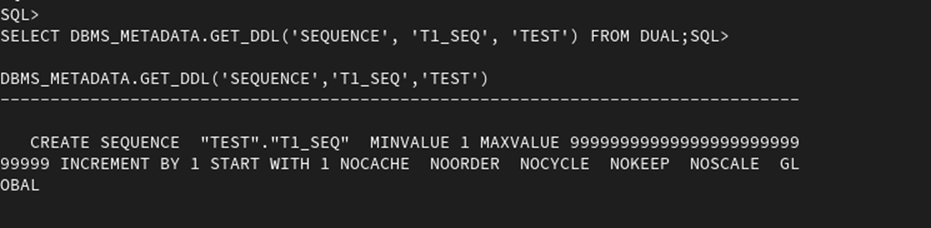
7. Sequence DDL
SELECT DBMS_METADATA.GET_DDL(‘SEQUENCE’, ‘sequence_name’) FROM DUAL;
Returns: CREATE SEQUENCE statement with increment and start values.
With OWNER:
SELECT DBMS_METADATA.GET_DDL(‘SEQUENCE’, ‘SEQUENCE_NAME’, ‘OWNER’) FROM DUAL;
Returns: Sequence from a specific schema.
Advantage:
Sequences generate unique values, often used for primary keys. Extracting their DDL ensures continuity of data integrity when migrating systems. OWNER helps retrieve the correct sequence, especially when multiple sequences share similar names
8. Synonym DDL
SELECT DBMS_METADATA.GET_DDL(‘SYNONYM’, ‘synonym_name’) FROM DUAL;
Returns: CREATE SYNONYM statement.
With OWNER:
SELECT DBMS_METADATA.GET_DDL(‘SYNONYM’, ‘SYNONYM_NAME’, ‘OWNER’) FROM DUAL;
Returns: Synonym from a specific schema
Advantage:
Synonyms simplify object access by acting as aliases. Extracting their DDL helps maintain abstraction layers across schemas. Using OWNER ensures that the synonym correctly points to the intended object.

9.Index DDL
SELECT DBMS_METADATA.GET_DDL(‘INDEX’, ‘index_name’) FROM DUAL;
Returns: CREATE INDEX statement with indexed columns.
With OWNER:
SELECT DBMS_METADATA.GET_DDL(‘INDEX’, ‘INDEX_NAME’, ‘OWNER’) FROM DUAL;
Returns: Index from a specific schema.
Advantage:
Indexes improve query performance by speeding up data retrieval. Extracting index DDL ensures that performance optimizations are preserved during migration. OWNER ensures the correct index is retrieved, avoiding performance issues.

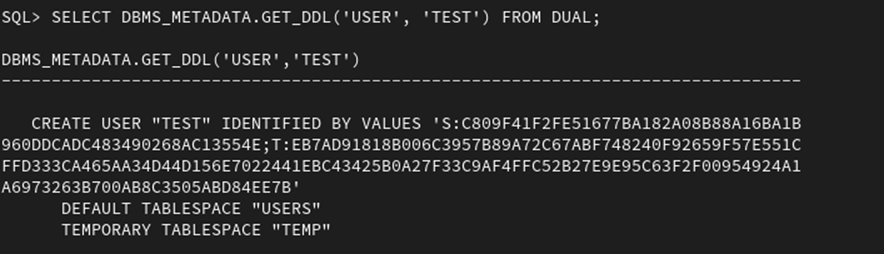
10. User DDL
SELECT DBMS_METADATA.GET_DDL(‘USER’, ‘user_name’) FROM DUAL;
Returns: CREATE USER statement with configurations.
Advantage:
User DDL helps recreate database users with their configurations. This is useful for migrations and audits. It ensures consistent access control across environments.
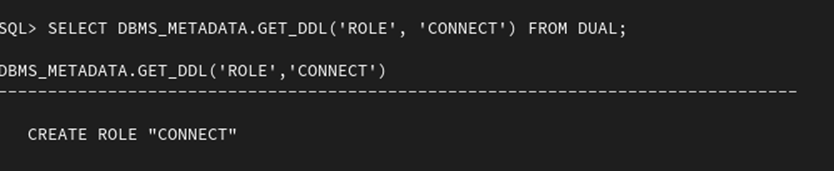
11. Role DDL
SELECT DBMS_METADATA.GET_DDL(‘ROLE’, ‘role_name’) FROM DUAL;
Returns: CREATE ROLE statement.
Advantage:
Roles simplify permission management by grouping privileges. Extracting role DDL helps maintain consistent security policies when moving databases.
12.. Tablespace DDL
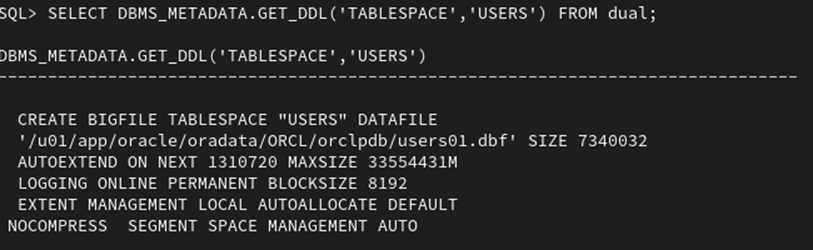
SELECT DBMS_METADATA.GET_DDL(‘TABLESPACE’,’USERS’) FROM dual;
Returns: CREATE TABLESPACE statement with storage details.
Advantage:
Tablespaces manage physical storage of data. Extracting their DDL ensures that storage configurations are preserved, which is critical for performance and scalability.
Privileges & Grants
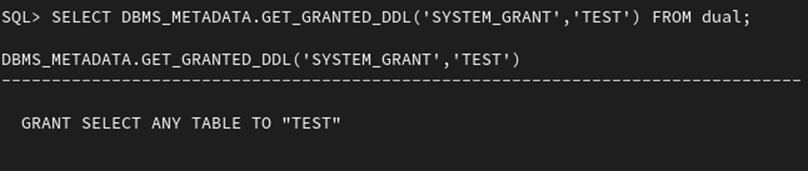
System Privileges
SELECT DBMS_METADATA.GET_GRANTED_DDL(‘SYSTEM_GRANT’,”) FROM dual;
Advantage:
Captures system-level permissions, ensuring that users retain the same capabilities after migration.
Role Grants
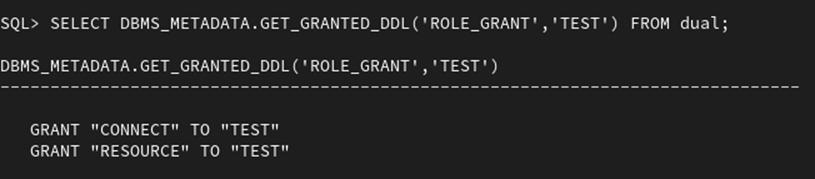
SELECT DBMS_METADATA.GET_GRANTED_DDL(‘ROLE_GRANT’,”) FROM dual;
Advantage:
Ensures that role assignments remain consistent, maintaining proper access control.
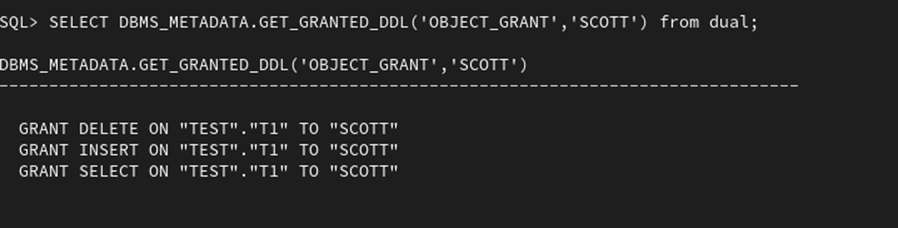
Object Grants
SELECT DBMS_METADATA.GET_GRANTED_DDL(‘OBJECT_GRANT’,”) FROM dual;
Advantage:
Preserves object-level permissions, ensuring users can access required tables and views without issues.
Alert: The information provided on this website is for educational purposes only. It has been tested internally, but there is no guarantee it will work in every environment. It is strongly recommended to first test the process in a non-production environment, such as a User Acceptance Testing (UAT) setup. This allows you to verify configurations, identify any issues, and ensure a smooth transition to production, minimizing the risk of disruptions in your live environment. Always conduct thorough testing before applying changes to production systems.
